The Lead Greeter
Every new signup gets a personal intro email, researched and written in your voice, ready for you to send.

Start your 7-day free trial.
Part of the Lead Agent Stack.
Draft intro email to Maya Reyes (maya@northlinestudio.com), ready for you to send:
Maya Reyes, new signup maya@northlinestudio.com · northlinestudio.com
Hi Maya, welcome, and thanks for signing up. I had a look at Northline Studio and love how much brand work you are shipping for a team your size.
A lot of studios tell me the same thing: inbound piles up and the good leads go cold before anyone can reply. That is the exact gap we close.
How we work is simple. A short call to map where your inbound stalls, then a one-page plan with pricing and no retainer lock-in, so you can decide with everything in front of you.
If that sounds useful, want to grab 20 minutes this week? Tuesday and Thursday are open on my end. Either way, glad to have you here. - Daniel
- Researched them and their company first.
- Written in your saved voice.
- Ready to send when you are.
How The Lead Greeter works.

This is the starting point.
After it is deployed, tell Autoploy what to change, in plain words, and it changes.
How you get it running.
-
01
Create your free account. No card needed.
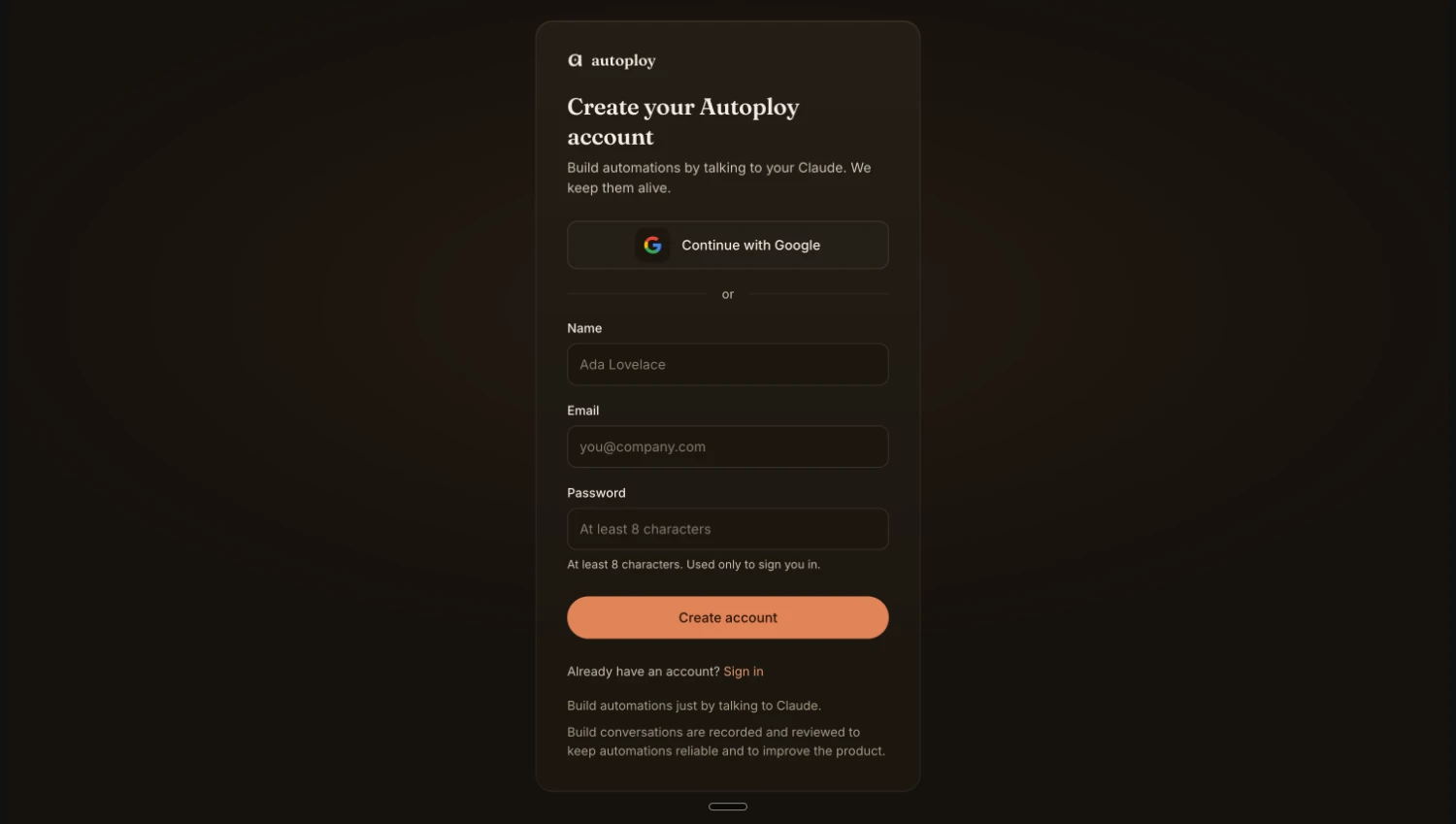
-
02
Pick up your agent. It's waiting on your dashboard.
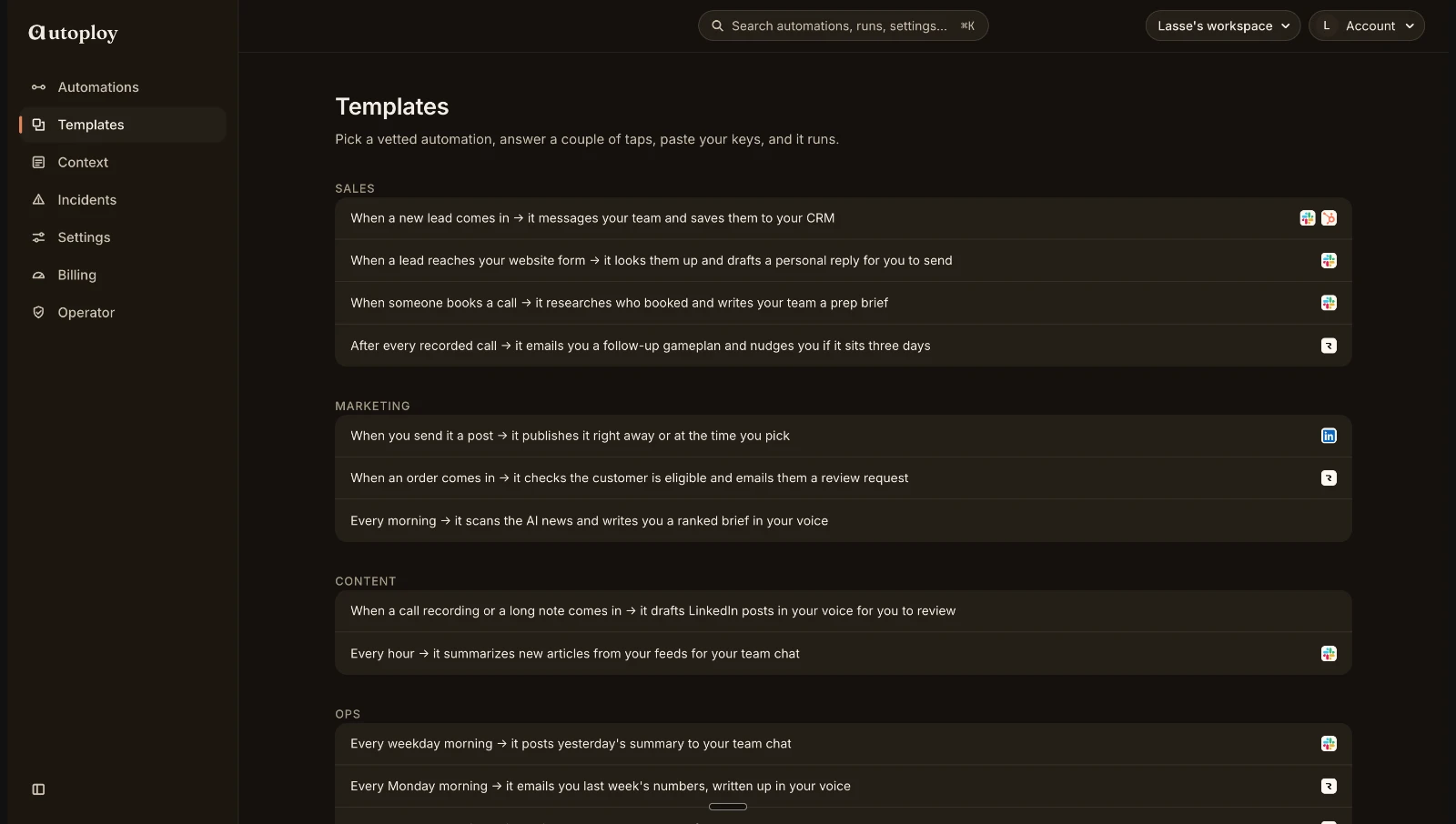
-
03
Hand it your two keys. Claude writes, Slack receives. About 2 minutes.

-
04
Watch it go live. From now on, no lead waits.

Live in minutes. Nothing charged before day 7.
Common questions
Do I need to wire anything?
No. You open the agent, answer a few setup questions in plain words, and your Claude builds it. There is nothing to code and nothing to wire.
How does it connect to my website form?
When you set it up, you connect your signup form once (paste one link, or ask your Claude to wire it up for you). After that, every new signup reaches the agent on its own, with no work from you.
Where do the drafts land?
In your Slack by default, or in Discord, Telegram, or your inbox if you prefer. You pick where when you set the agent up.
Does it message my leads directly?
Not unless you want it to. By default it writes the draft and hands it to you, and nothing reaches the lead until you read it and send it. When you are ready, you can tell it to send automatically.
Can I change how it works?
Yes, completely. After it is deployed, tell Autoploy what to change in plain words and it changes: send drafts to Telegram instead of Slack, send them automatically, or add a step that logs every lead to your sheet. This agent is a starting point, not a fixed template.
What does it cost?
Signing up is free and takes no card. You can build one agent and run it yourself straight away. When you want it running on its own, every plan starts with a 7-day free trial and nothing is charged before day 7.
Notice what just happened.
You just read a working automation, end to end, and nothing needed translating. That is not a diagram of the product. It is the product. Autoploy agents are written in plain language, so reading one is the same as understanding it, and describing one is the same as building it.
Under the hood it is real infrastructure: webhooks, schedules, retries, the works. The interface is just a conversation. And if you already build with AI, it goes as deep as you want, Autoploy speaks MCP, so your own Claude can wire, extend, and ship agents straight from your chat.
When a new lead comes in, research them and draft a personal welcome email for my review.


The Lead Greeter is just one employee.
Anything you can describe in a sentence, your Claude can build the same way. If you can say it, it can run.
What next week looks like.
A lead signs up on Tuesday while you're in a meeting. A researched draft is waiting before you're even out.
Midweek you think of one thing to change, so you tell Autoploy in a sentence, and it changes.
By Sunday you've checked nothing, restarted nothing, fixed nothing. It just ran.
Your next lead is coming either way.
The only question is whether there is a researched draft waiting when they do. Set it up once, tonight, in a few minutes.
7-day free trial. Cancel in one click.